
The Surveys Due tab shows which students have completed a survey and which haven't yet, so you can send reminders and offer support where it's needed.
Viewing outstanding and completed surveys
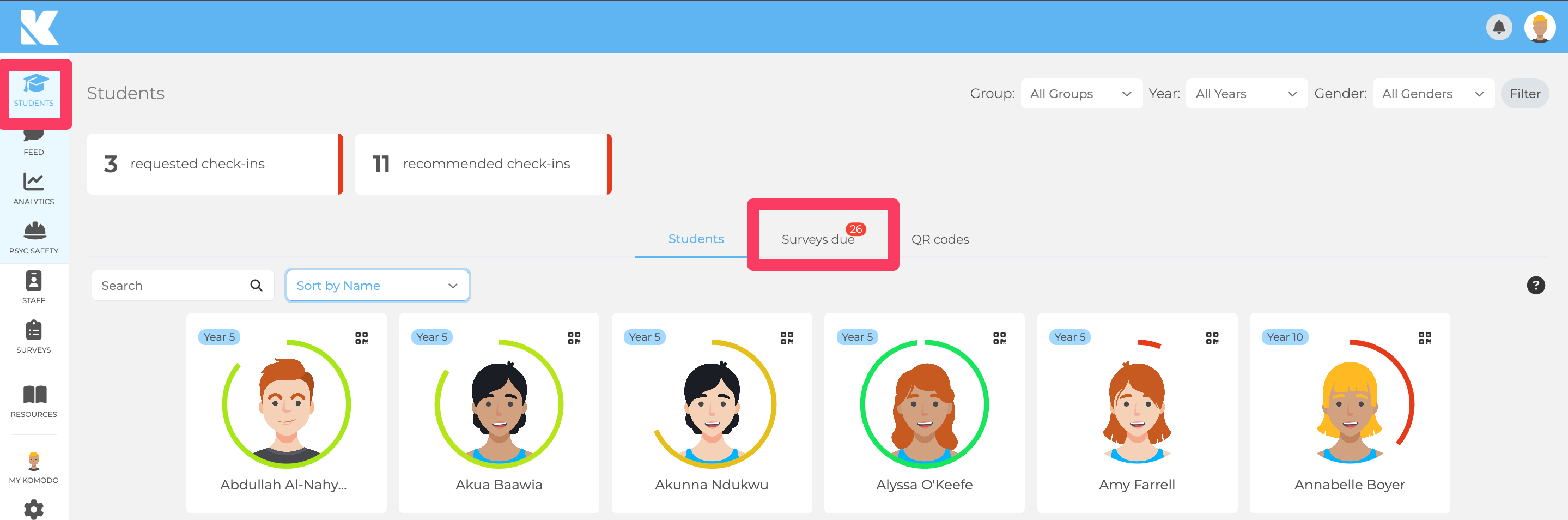
- On the Students page, open the Surveys Due tab. The red number shows how many surveys are outstanding.
- Click the survey you want to check.
- Use the Due and Completed tabs to see who has and hasn't finished it. Use the Group, Year and Gender filters at the top right, or search for a student.
The Completed tab also helps you count how many students took part in each group. On the Students page, hovering over a student shows their latest response and ticks or crosses for their last 5 surveys.
Sending reminders
- Automatic: Komodo notifies students on the day the survey goes live, at the Notification Time you set, and sends another reminder three days later if it's still incomplete.
- Manual: click the blue Reminder button on the Due tab. This emails only the students who haven't completed the survey.
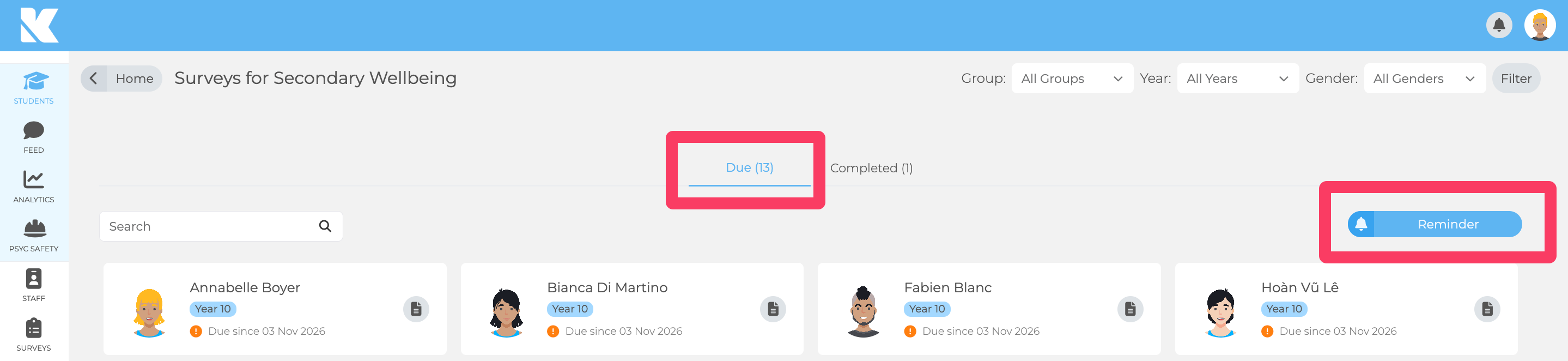
Click Reminder once and wait. Large groups can take a moment to send, and clicking again can send duplicates. Students get reminders by email, or by push notification in the app, so turn on both for the school in Settings → Preferences.
Helping a student complete a survey
If a student often appears on the Due list, it may be a chance to offer a little extra support.
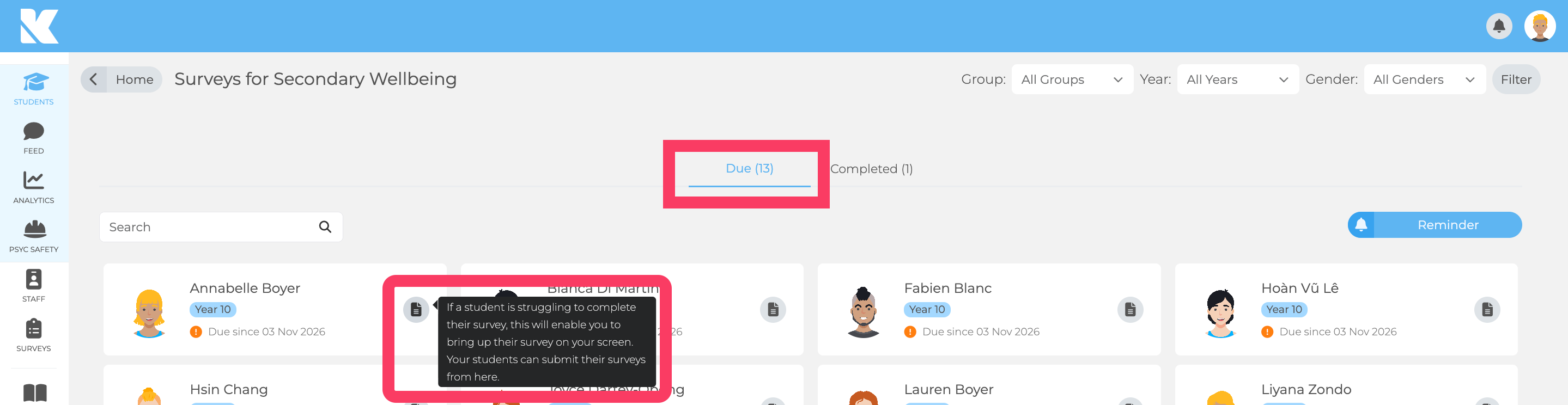
- On the Due tab, click the survey icon on the student's tile.
- Their survey opens on your screen, so they can complete it on a trusted adult's device.
Troubleshooting
- A student isn't on the list: check they are in a group or year assigned to the survey, and check your filters.
- Students didn't get an email: emails go at the Notification Time, not when you click Assign. Check the survey isn't paused, then send a manual reminder. Ask IT to allow emails from no-reply@komodowellbeing.com.
- Reminders after pausing: pausing stops future survey dates but doesn't close a survey that is already due.
- Someone wants to stop reminders: notifications are school-wide. Reminders stop once the survey is completed.
Video: Outstanding surveys and reminders. See also: Previewing student surveys: what students see.
Watch the walkthrough
